
Introduction
In structural steel design, the base plate is a critical component that ensures the proper transfer of axial loads and moments from a column to its foundation. Accurate design of base plates with proper bolt layout is essential to prevent excessive bending, tension, or compression in steel connections.
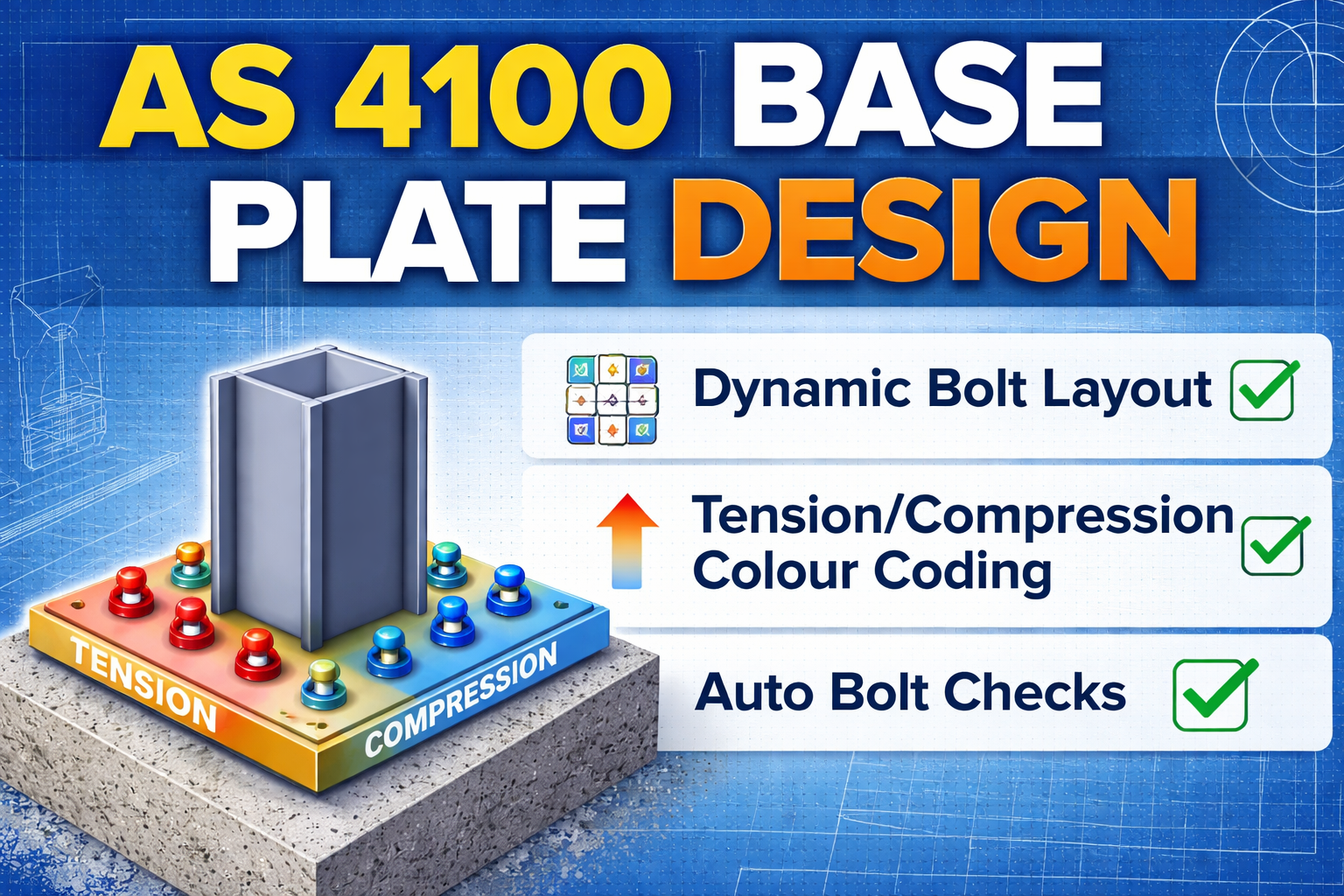
To simplify this process, our AS 4100 Base Plate Calculator offers a dynamic, interactive solution for engineers, designers, and students. It provides automatic bolt arrangement, tension/compression visualization, and detailed calculations with reference to Australian codes, all in a single, easy-to-use tool.
AS 4100 Base Plate Calculator with Bolt Layout – Metric
| Input Parameters | |
|---|---|
| Factored Axial Load N* (kN) | |
| Factored Moment M* (kN·m) | |
| Base Plate Width Bp (mm) | |
| Base Plate Length Lp (mm) | |
| Concrete Strength f′c (MPa) | |
| Plate Yield Strength fy (MPa) | |
| Anchor Bolt Type | |
| Number of Bolts n | |
| Bolt Diameter (mm) | |
| Distance from Column Face / spacing (mm) | |
| Bolt Steel Grade fu (MPa) | |
How to Use This Sheet
- Enter factored axial load (N*) and moment (M*) from structural analysis (AS/NZS 1170).
- Enter trial base plate dimensions (Bp & Lp). Adjust to satisfy concrete bearing.
- Enter material properties: concrete f′c, plate fy, bolt fu.
- Select anchor bolt option: inside or outside column, number of bolts, diameter, and distance from column.
- Results update automatically: concrete bearing, plate thickness, bolt tension, and layout diagram.
- If bolt tension exceeds capacity, suggestions for increasing bolt diameter or number are displayed.
- Use diagram to verify bolt locations relative to column face.
Codal References
- Concrete bearing: AS 3600 Clause 12
- Plate bending: AS 4100 Clause 8
- Anchor bolt tension: AS 5216
- Anchor bolt design: φb*Ab*fu per AS 5216
Disclaimer:
This Base Plate Calculator is for educational and reference purposes only. Always verify results independently and ensure designs comply with AS 4100, AS 3600, AS 5216, and project specifications.
Key Features
- Automatic Bolt Arrangement:
The tool dynamically arranges any number of bolts in a proper grid for both inside and outside column options, ensuring correct spacing and layout. - Tension & Compression Visualization:
Bolts on the tension side are highlighted in red, and bolts on the compression side in blue, helping you quickly identify stress distribution. - Detailed Step-by-Step Calculations:
The calculator provides a comprehensive breakdown of all design steps:- Base plate area
- Concrete bearing stress
- Plate thickness
- Bolt tension and capacity
- Automatic Bolt Tension Check:
Compare applied moment and axial load with bolt capacity. If tension exceeds allowable limits, the calculator suggests increasing bolt size or quantity. - Interactive Diagram:
The 2D visual layout scales dynamically to base plate size and bolt spacing. Users can easily visualize the column footprint, bolt locations, and tension/compression sides.
How to Use
- Enter the factored axial load (N*) and moment (M*) from structural analysis.
- Enter trial base plate dimensions (width and length).
- Specify material properties: concrete strength (f′c), plate yield (fy), bolt steel grade (fu).
- Choose bolt type (inside/outside column), number of bolts, diameter, and distance from column.
- The tool updates bolt layout, plate thickness, concrete bearing, and tension/compression side colors automatically.
- Review step-by-step calculations with codal references and recommendations if required.
Codal References
- Concrete bearing: AS 3600 Clause 12
- Plate bending: AS 4100 Clause 8
- Anchor bolt tension: AS 5216 Clause 4.2
- Anchor bolt design: φbAbfu per AS 5216
Benefits
- Eliminates manual errors in base plate design.
- Saves significant design time for engineers and draftsmen.
- Provides clear visualization for better decision-making.
- Fully compliant with Australian steel and concrete standards.
- Suitable for any number of bolts, column sizes, and moment directions.
Use this tool to design base plates for any steel column connection efficiently while staying fully compliant with Australian standards.
Base Plate Design as per Australian Standard (AS 4100 – Metric)
Applicable Codes
- AS 4100: Steel Structures
- AS 3600: Concrete Structures (for concrete bearing & anchors)
- AS/NZS 1170 (for actions if loads are derived)
- AS 5216 (anchor design – if detailed anchoring is required)
1. Design Inputs (Metric)
| Parameter | Symbol | Unit |
|---|---|---|
| Axial load | N∗ | kN |
| Moment | M∗ | kN·m |
| Shear | V∗ | kN |
| Column size | — | mm |
| Concrete strength | fc′ | MPa |
| Plate yield strength | fy | MPa (usually 250 MPa) |
2. Factored Actions
Use ultimate limit state (ULS) loads:N∗,M∗,V∗as per AS/NZS 1170
3. Base Plate Area (Concrete Bearing)
Design bearing pressure on concrete:
q∗=ApN∗±BpLp26M∗
Where:
- Ap=Bp×Lp (mm²)
- Bp,Lp = base plate dimensions (mm)
Allowable concrete bearing stress (AS 3600):
qult=0.85fc′
✅ Check:q∗≤0.85fc′
4. Plate Thickness Design (AS 4100)
Base plate acts as a cantilever slab projecting beyond column face.
Projection:
a=2(Bp−bc),b=2(Lp−dc)
Use the larger projection.
Bending moment per unit width:
m∗=q∗a2/2
Plate thickness:
tp≥ϕfy6m∗
Where:
- ϕ=0.9 (steel bending)
- fy=250 MPa (typical)
5. Moment & Tension Check (If Uplift Exists)
If:e=N∗M∗>6Lp
→ Tension develops → anchor bolts required
Compression block length:c=0.85fc′BpN∗
Remaining force taken by anchors.
6. Anchor Bolt Design (Overview)
Anchor tension per bolt:T∗=nzM∗−N∗c/2
Check as per AS 5216:
- Steel failure
- Concrete cone
- Pull-out
- Edge distance
7. Shear Check
Shear resisted by:
- Friction: μN∗
- Or anchor bolts / shear key
V∗≤ϕμN∗
Typical:
- μ=0.3 (steel–concrete)
- ϕ=0.8
8. Typical Material Specifications
| Item | Specification |
|---|---|
| Base plate | AS/NZS 3678 – Grade 250 |
| Anchor bolts | Property Class 8.8 |
| Grout | Non-shrink, ≥ 40 MPa |
| Concrete | ≥ 25 MPa |
9. Detailing Requirements (AS 4100)
- Minimum plate thickness: ≥ 12 mm
- Edge distance to anchor: ≥ 1.5 × bolt dia
- Plate projection: ≥ 50 mm
- Grout thickness: 20–50 mm
10. Summary Design Flow
- Apply factored loads
- Size base plate from concrete bearing
- Check eccentricity
- Design plate thickness
- Design anchors (if tension)
- Catch Basin Types and Details
 Catch basins are essential components of stormwater management systems. They… Read more: Catch Basin Types and Details
 - Eurocode Base Plate Calculator – EN 1993-1-8
 Introduction Base plates are critical components in steel structures, transferring… Read more: Eurocode Base Plate Calculator – EN 1993-1-8
 - Base Plate Design Calculation AS 4100
 Introduction In structural steel design, the base plate is a… Read more: Base Plate Design Calculation AS 4100
 - Base Plate Design Calculator CSA A23.3
 Introduction Steel column base plates transfer loads from the column… Read more: Base Plate Design Calculator CSA A23.3
 - Base Plate Design Calculator ACI 318
 Introduction Designing a steel column base plate is a critical… Read more: Base Plate Design Calculator ACI 318
 - Base Plate Design as per IS 800 2007
 Introduction (Anchor Bolts Outside & Inside Column Flange) Base plates… Read more: Base Plate Design as per IS 800 2007
 - East Facing 38×56 House Plan – Ground & First Floor Design with 3BHK + Home Theatre
 An east-facing house is considered highly auspicious in Vastu Shastra,… Read more: East Facing 38×56 House Plan – Ground & First Floor Design with 3BHK + Home Theatre
 - Foundation Detail Drawings for Buildings With CAD Files
 A Practical Structural Drawing Guide Introduction Footing drawings form the… Read more: Foundation Detail Drawings for Buildings With CAD Files
 - Bar Bending Schedule | BBS Calculator For Beam Column and Slab
 Managing the Bar Bending Schedule (BBS) is one of the… Read more: Bar Bending Schedule | BBS Calculator For Beam Column and Slab
 - Room Paint Calculator | Paint, Primer & Putty Quantity & Cost Estimator
 Looking to renovate your room? Our Room Paint, Primer &… Read more: Room Paint Calculator | Paint, Primer & Putty Quantity & Cost Estimator
 - Load Conversion & Stress Calculator | kN to kg, ton, N, MPa Online
 Load Conversion & Stress Calculator for Civil and Structural Engineers… Read more: Load Conversion & Stress Calculator | kN to kg, ton, N, MPa Online
 - Water Tank Capacity Calculator – Feet & Meter Conversion (Litres & Gallons)
 Water Tank Capacity Calculator with Unit Conversion Accurate water storage… Read more: Water Tank Capacity Calculator – Feet & Meter Conversion (Litres & Gallons)
 - Brick Wall Construction Calculator | Calculate Bricks & Cost Instantly |
 Introduction Building a brick wall requires accurate planning to avoid… Read more: Brick Wall Construction Calculator | Calculate Bricks & Cost Instantly |
 - Unit Converter – Feet, Inches, cm, mm, Yard to Meter and Vice Versa
 Length Unit Converter 🌙 Toggle Dark Mode Length Unit Converter… Read more: Unit Converter – Feet, Inches, cm, mm, Yard to Meter and Vice Versa
 - Lifting Analysis of Skid Using Spreader Beam 4-Point
 COG Shift, Moment Calculation & Sling Forces for STAAD Pro… Read more: Lifting Analysis of Skid Using Spreader Beam 4-Point
Civil Structural Engineering Interview Questions pdf Free Download
RCC Fencing Post Details
Wind Load Calculation as Per Indian Code
HOUSE PLAN 60 x 45 | SOUTH FACING |
DESIGN BASIS FOR CIVIL AND STRUCTURAL
Side Face Reinforcement as per ACI & IS code
Fencing Gate Details and Requirements
APARTMENT PLAN 40×50 | EAST FACING | 3BHK |
Structural Bolt Details Types Grades and Applications
Gate Design Ideas 60+
Posted by
in
Leave a Reply